
An SEO tool for agencies: the proposal, the plan and the proof, under your name.
Crawl a client's site on Pro and the pages never worked on are ranked by the visits to gain, with the keyword to scan each against. Every scan hands you the plan of action for one page and one keyword: the moves in order, the schema blocks, question headings and rewritten title ready to paste, the strategy for each piece of content. The client report is free, it carries your name, and it counts work as done only when a rescan can see it. Pro is a free switch. Five free scans, no card.
Start on Pro, Free See a Real Report public report URL pending

The proposal, on one screen, with the arithmetic shown.
The site view (Keywords & Queries, on Pro) reads everything already held about a client's site and costs nothing to open.
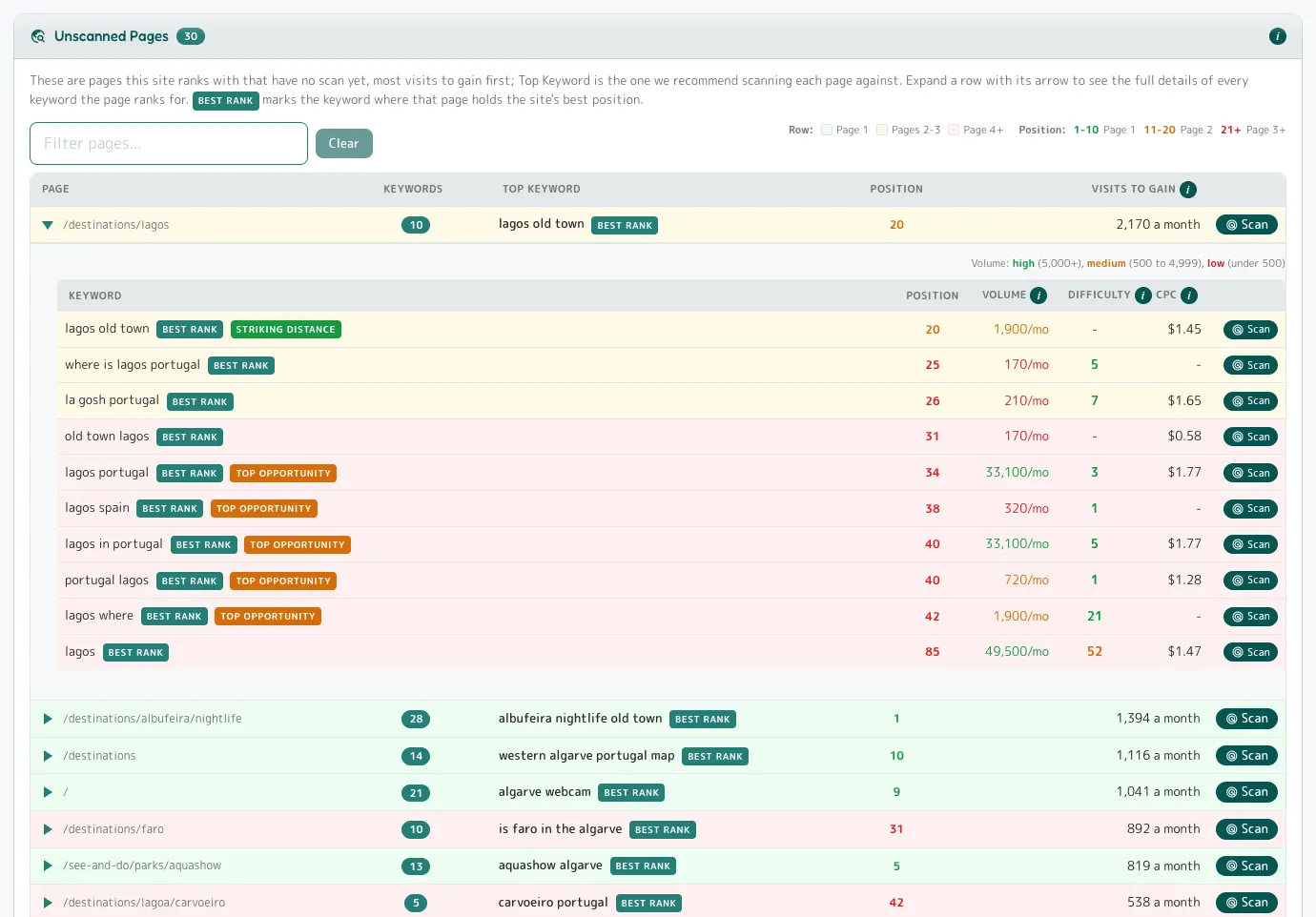
- Unscanned Pages Pro: every page the site ranks with that has never been scanned, most visits to gain first, with the keyword to scan it against.
- A ranked list of the pages worth paying to work on next, and the number that justifies each.
- Every keyword the domain ranks for carries the page that ranks, so the grouping is page-specific by construction.
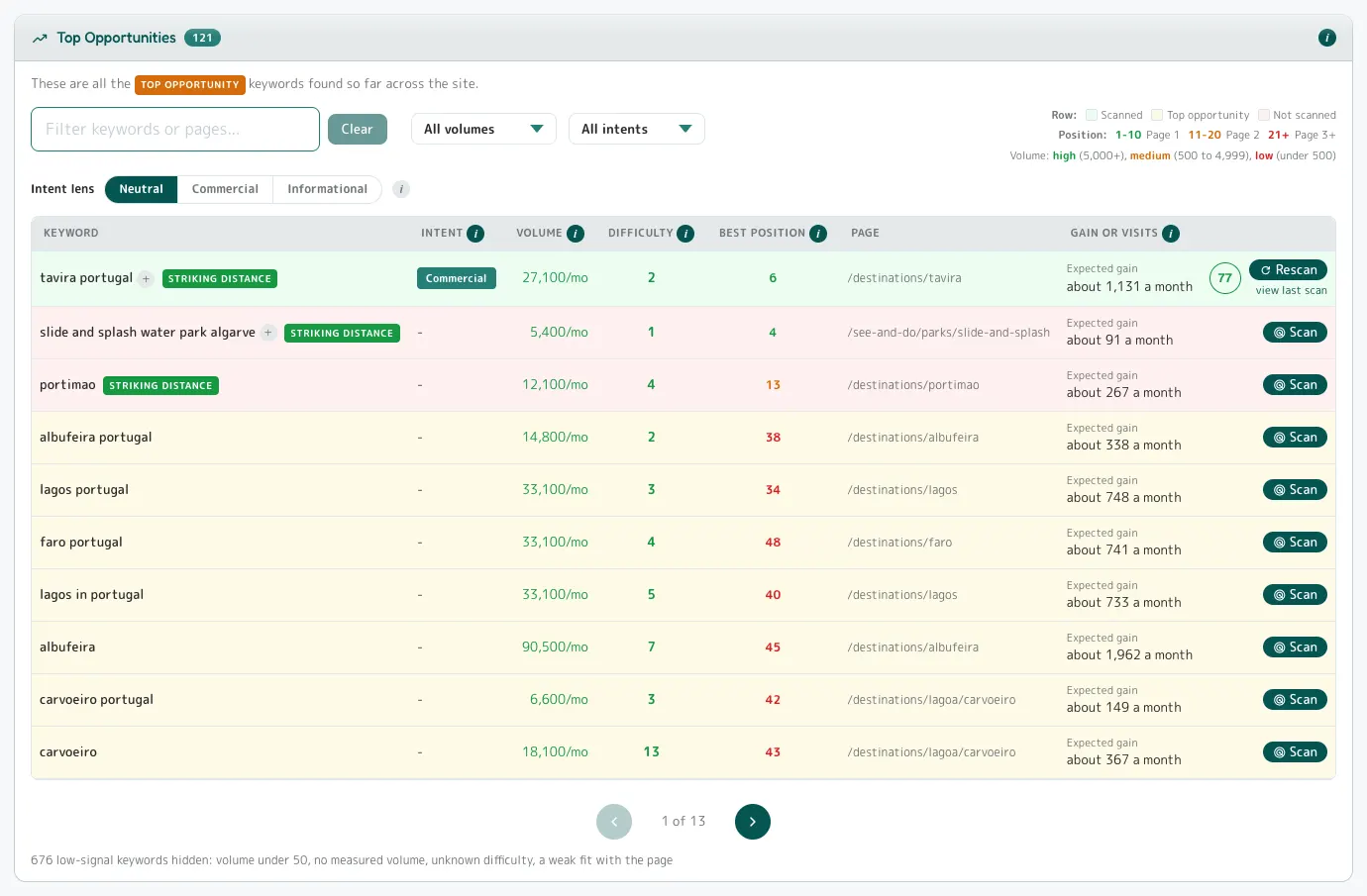
- The site-wide target list in the engine's order: 121 keywords, the page that holds each, the expected gain.
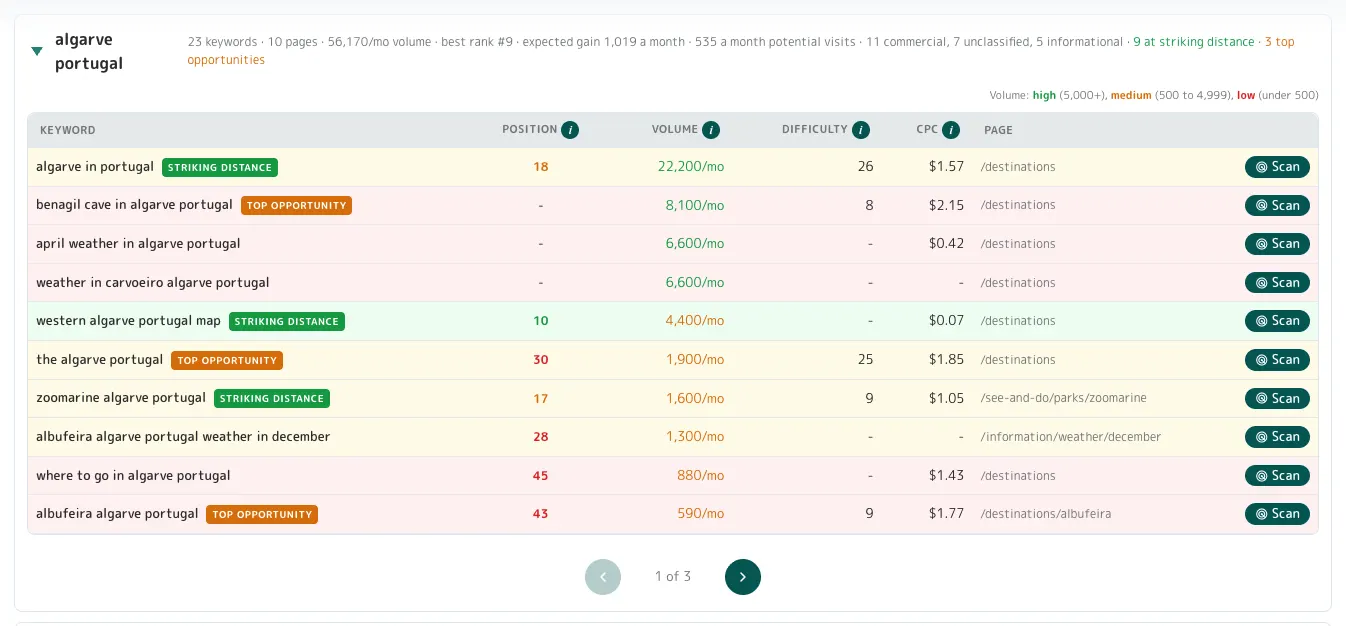
- A subject in one line: 16 phrases, 70,470 searches a month, best rank #1, 1,623 visits a month to gain.
- A subject where the read is pages to build, not pages to tweak: seven of the top ten phrases on one hub page, three with no position at all.
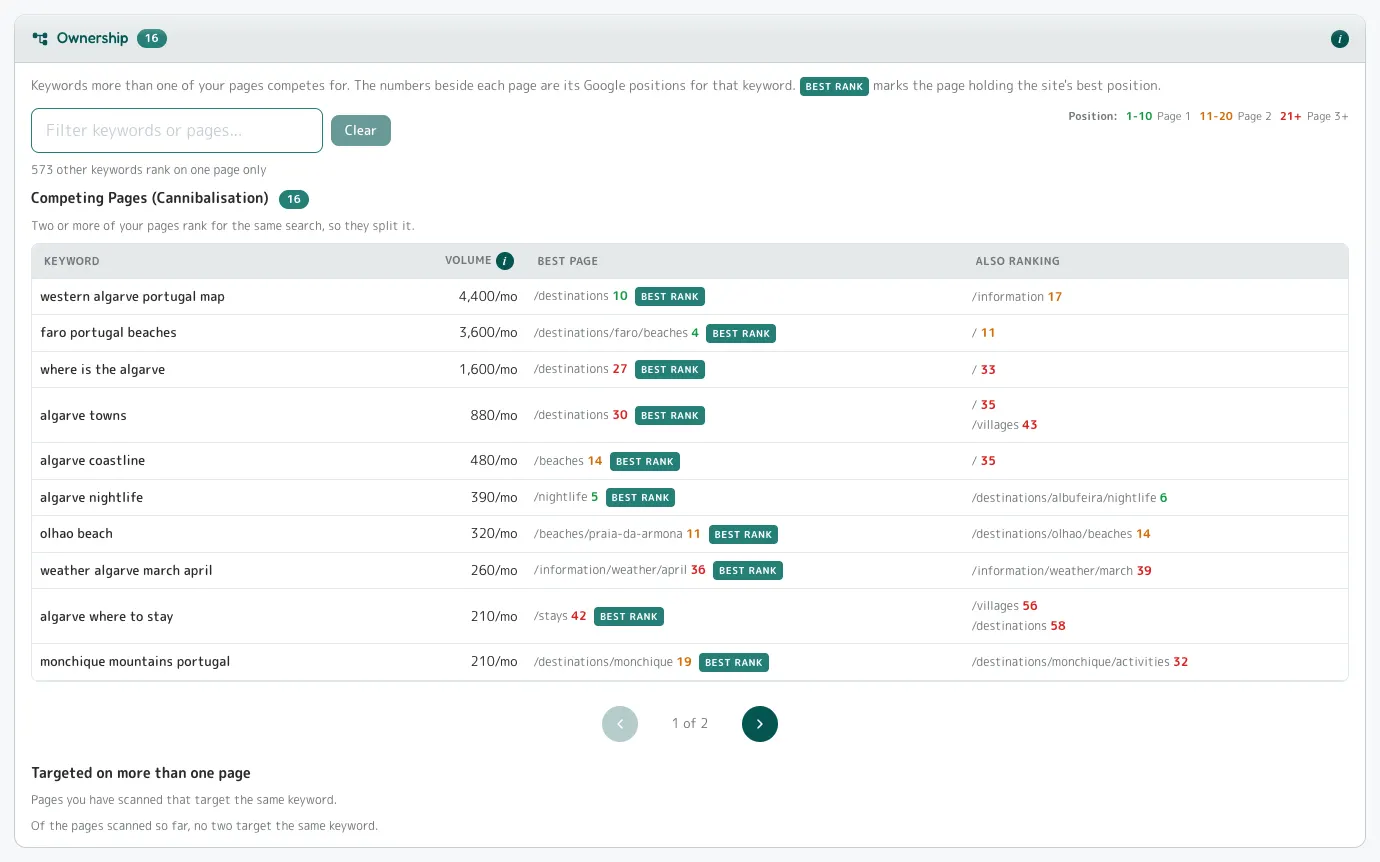
- Two of the client's pages fighting for one search, found, with the positions.
- The AI questions across the site, and who holds each answer the client does not.
- The pages the site points to but does not have.
- The keyword-per-page sheet, exportable, to attach to the proposal.
- 829families
- 22,000visits a month
- 121targets
- 55subject groups
- 2,170visits to gain on one page
The whole site, run as one operation.
On Pro: every page the crawl found, each with a keyword ready, and every batch quoted before it runs.
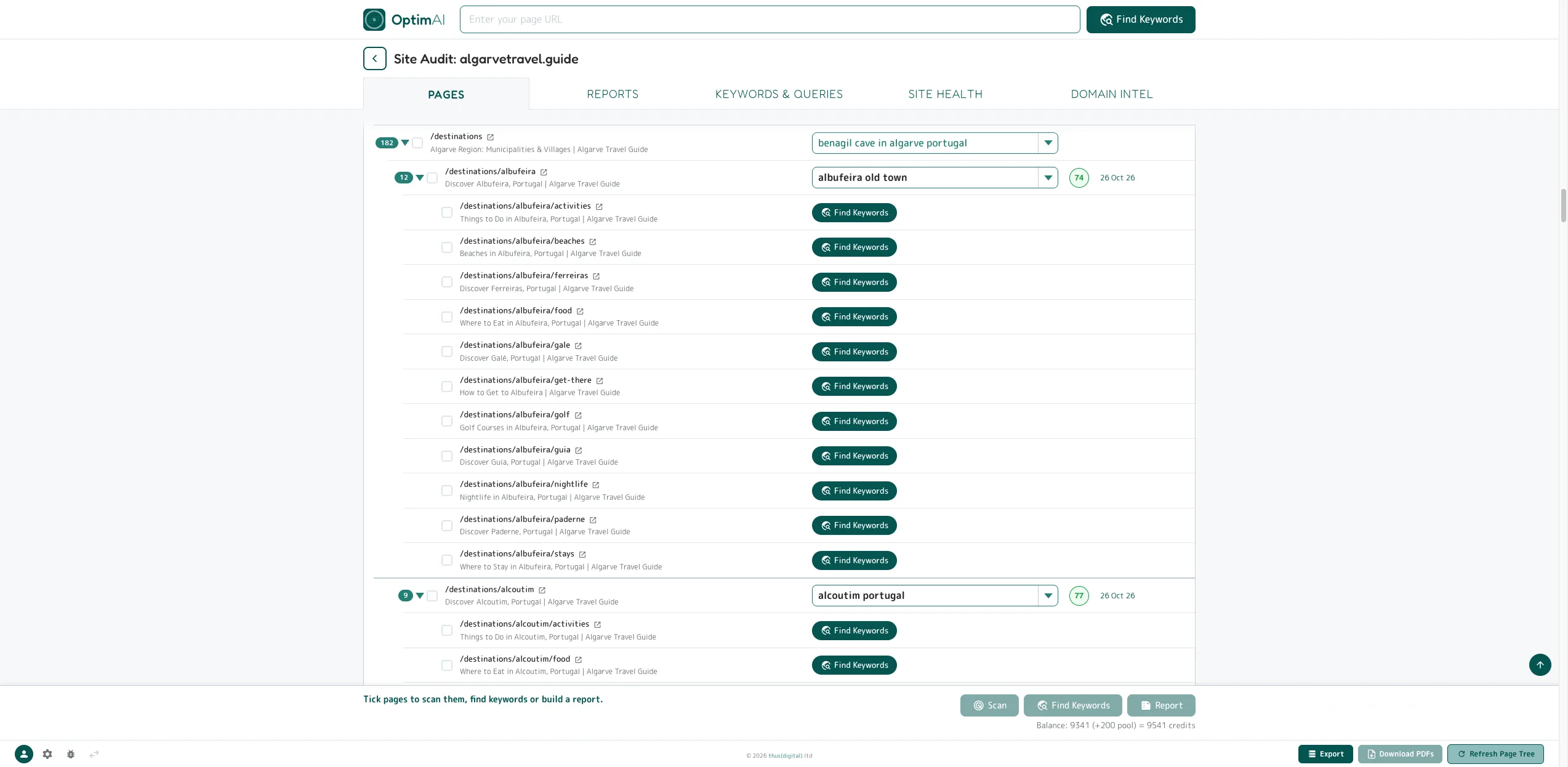
- The page tree Pro: every page with counts, each with a keyword already chosen from the free default set or a Find Keywords button.
- Coverage of the whole site, and no crawl you did not ask for.
- Batches Pro: tick pages and the bar says exactly what will happen: the rescans, the pages with no keyword, the lookups used, the balance after. Up to 100 pages a batch.
- The quote before the spend, every time.
- The client report Pro is free; only pages not yet scanned are charged.
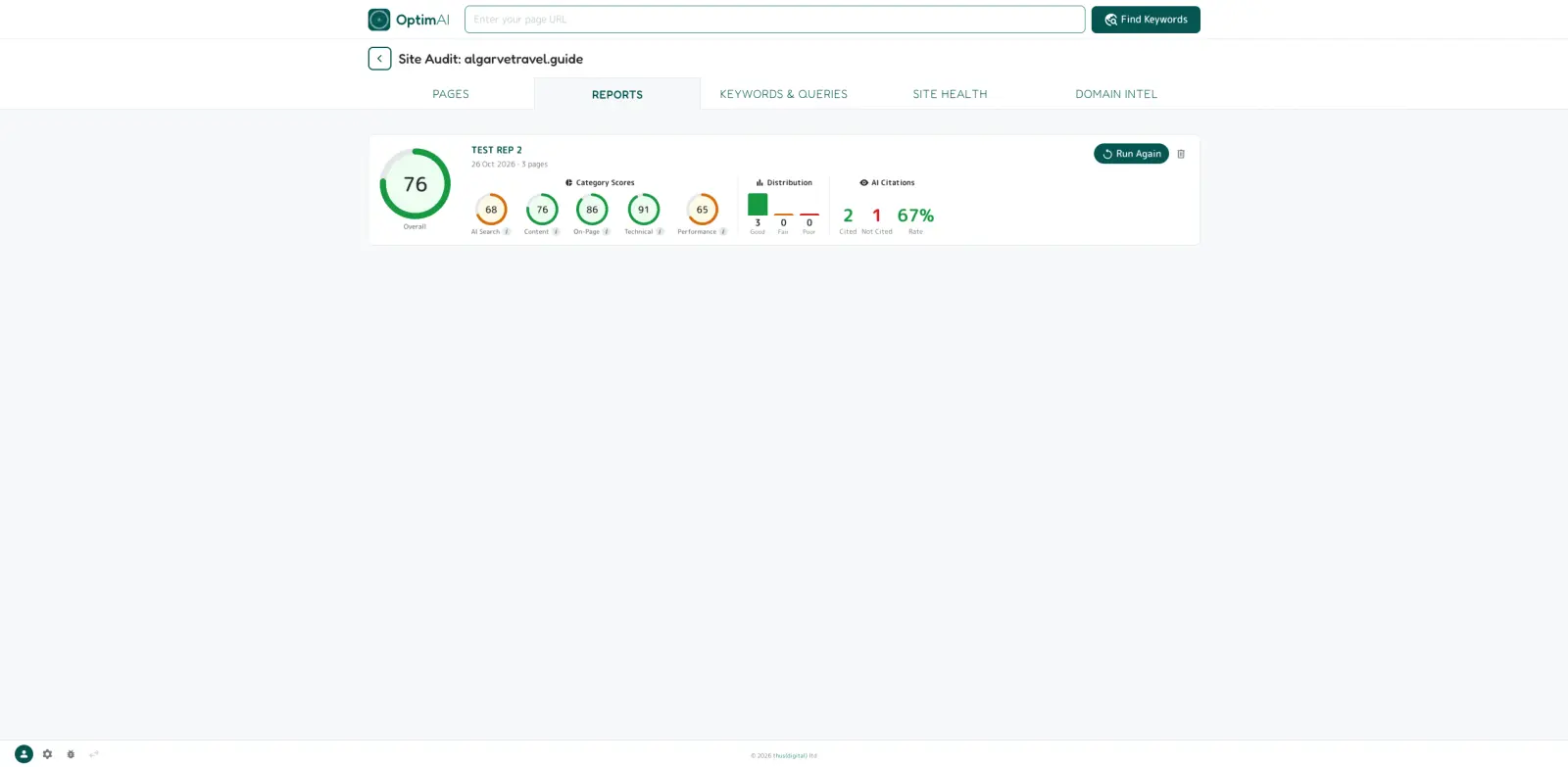
- Every stored client report in one list, with Run Again at today's price.
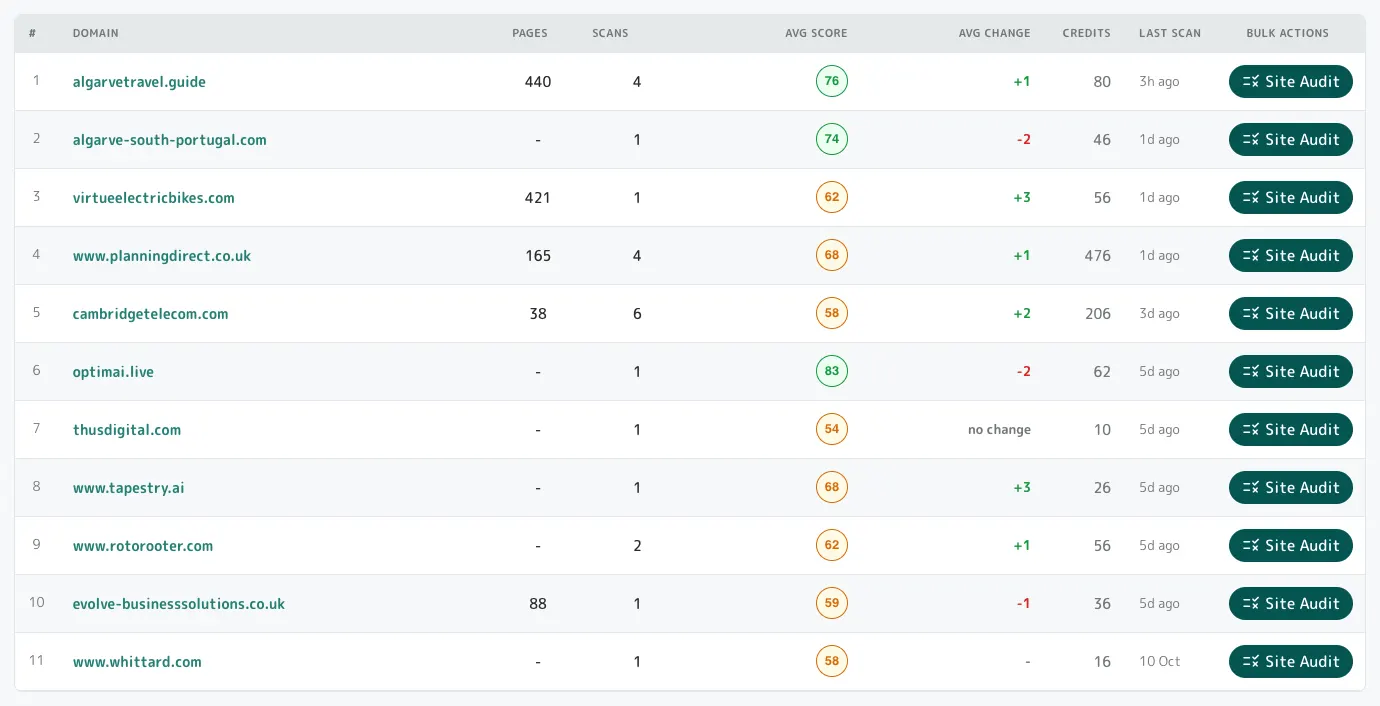
- Your client list with its state on it: pages found, scans run, average score and change, credits spent.
- The next scan chosen by evidence: the pairs the site is already close to ranking for.
- Twelve search regions, set per account.

Not a spreadsheet of findings for the client. A plan of action, per page.
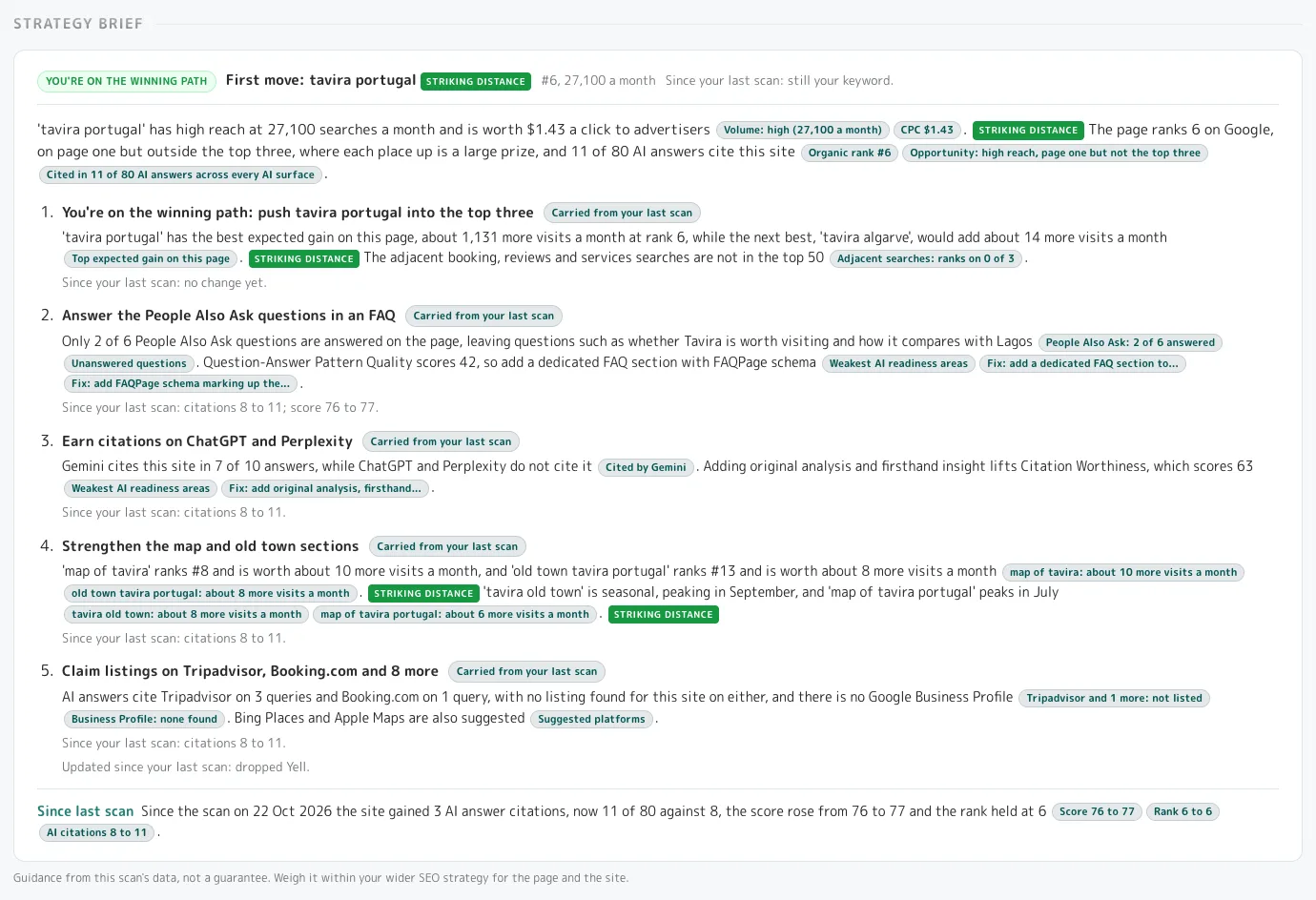
A spreadsheet of keywords is not a proposal, and a list of findings is not a work order. Every scan hands you the plan of action for one page and one keyword: three to five top moves, then everything else, prioritised and categorised by type, with the evidence under every sentence. The schema blocks, the question headings and a rewritten title arrive ready to paste; for each piece of content the plan gives the exact strategy, and the writing stays with you. Each rescan feeds the next set of moves as the content and the baselines change.
- The agency's recommendations slide, written from the numbers, with the evidence chip under every sentence.
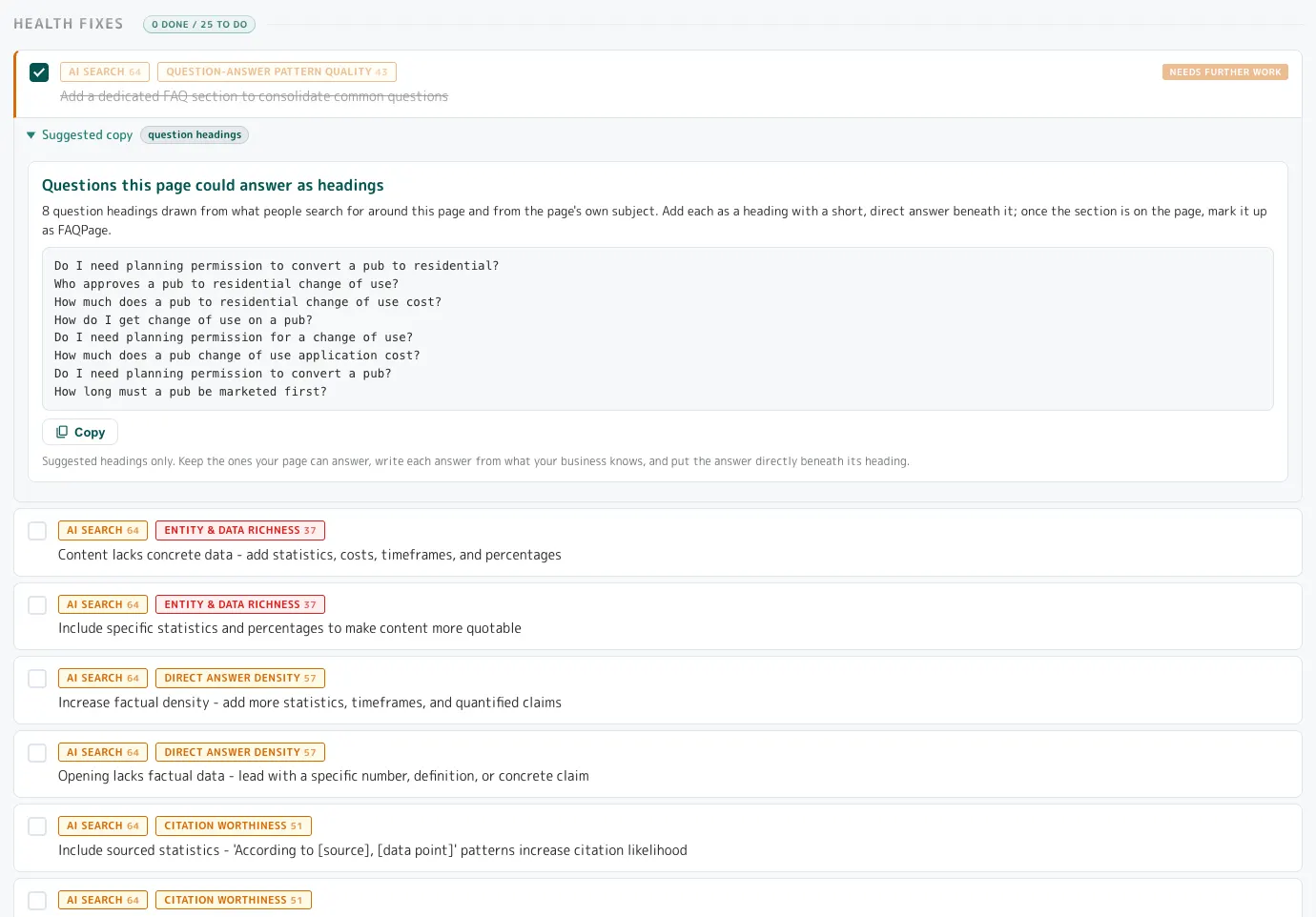
- Some fixes ready to paste: schema, question headings, a rewritten title with the character count.
- Exactly what to write to close the gap with the pages that are winning, in a brief that knows what the page already says: the strategy for the piece, not the piece.
- The work is defined before anyone is paid to do it, and confirmed after.
- One to-do list per page and keyword, typed and filterable to today's work.
- Business facts saved once per domain and used in every page's fixes; blanks stay TO CONFIRM, never a guess.
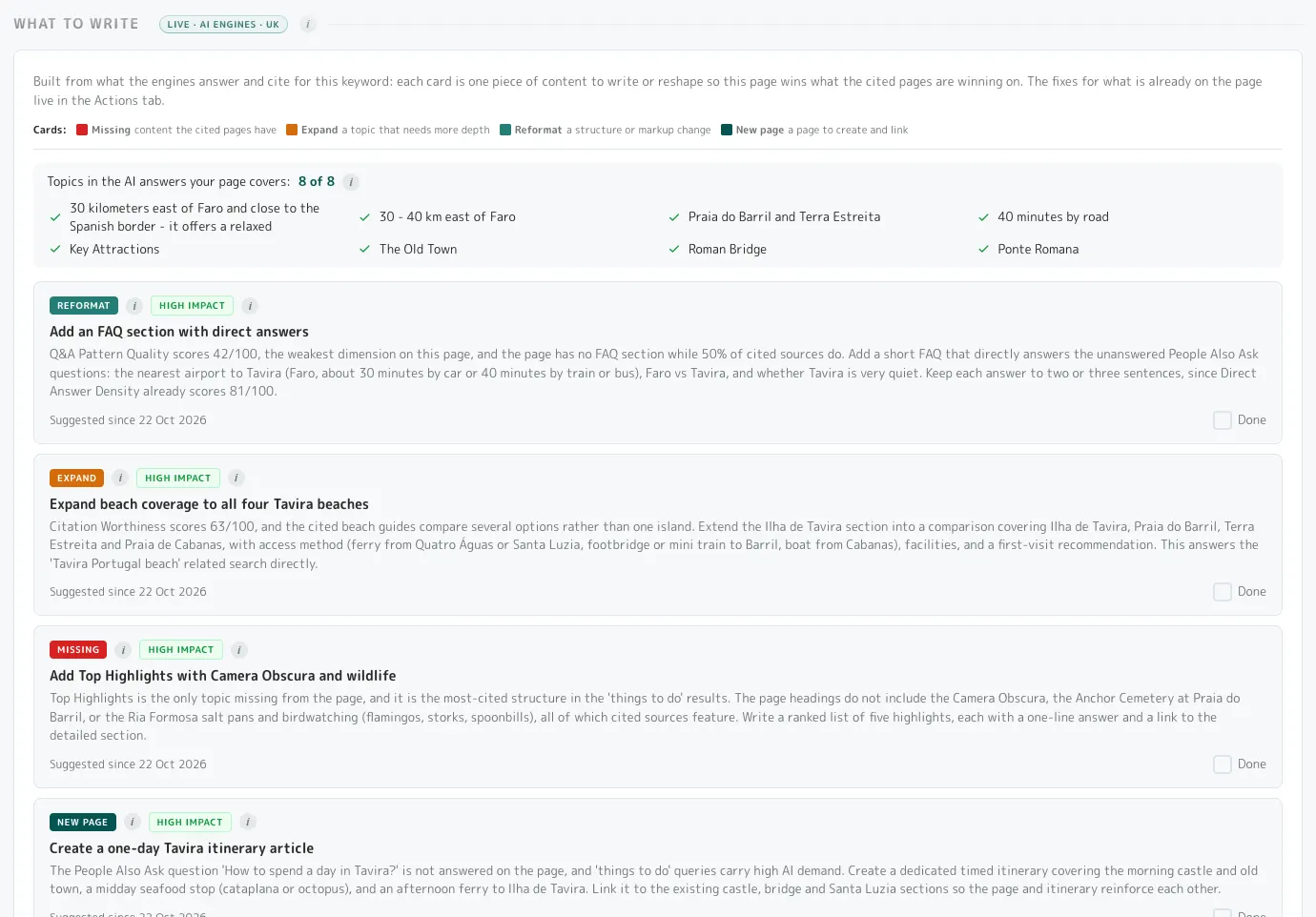
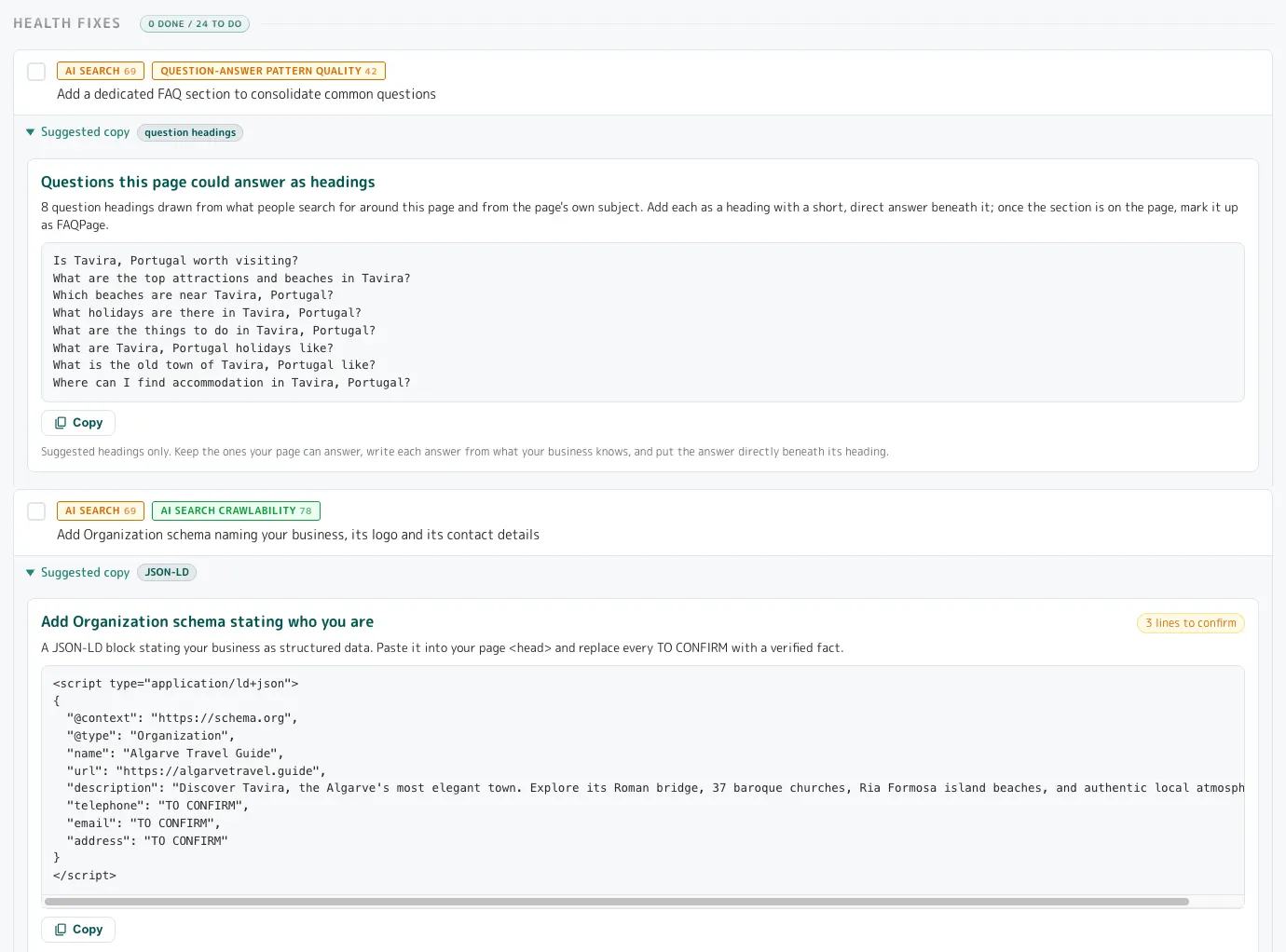
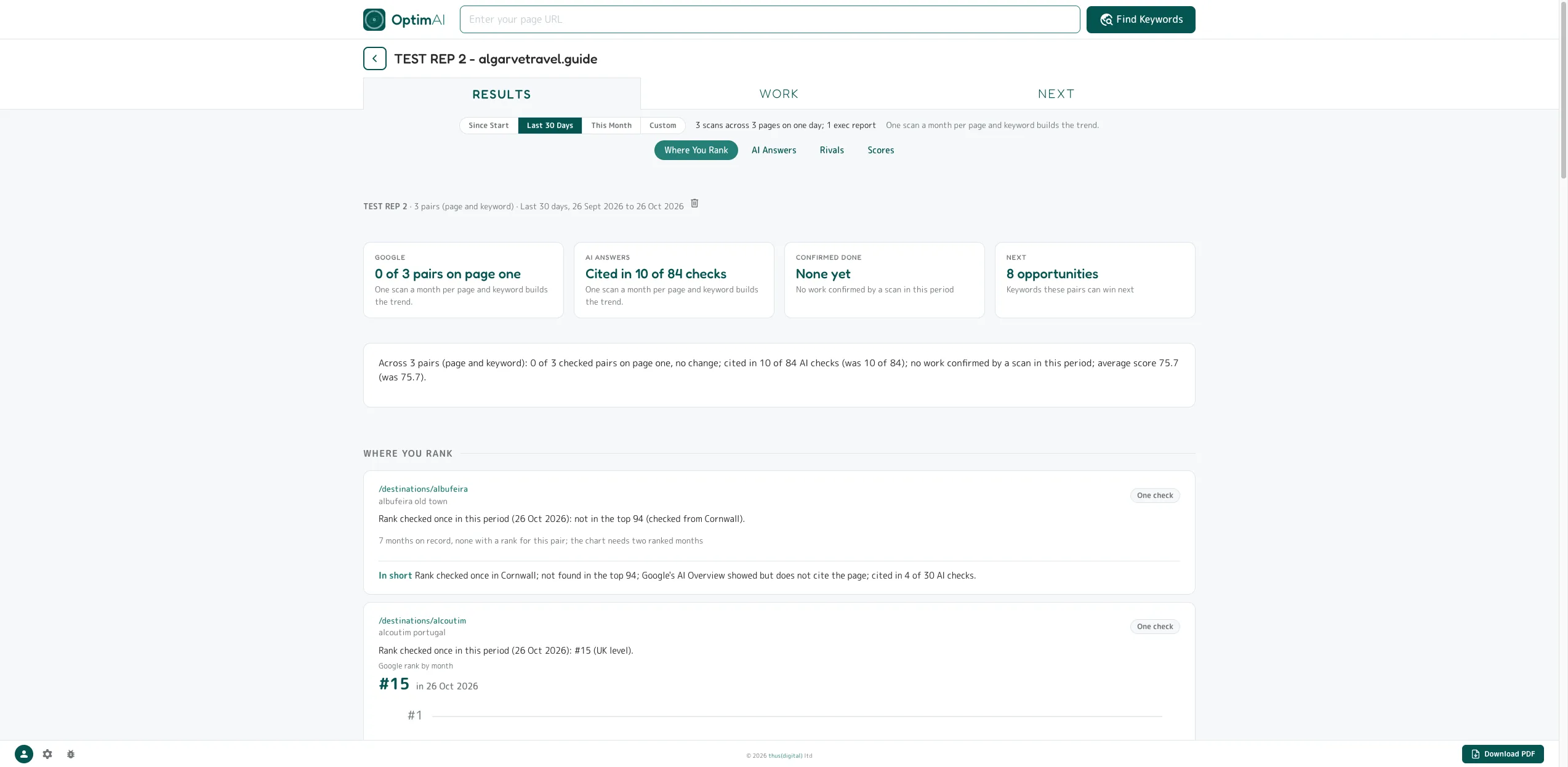
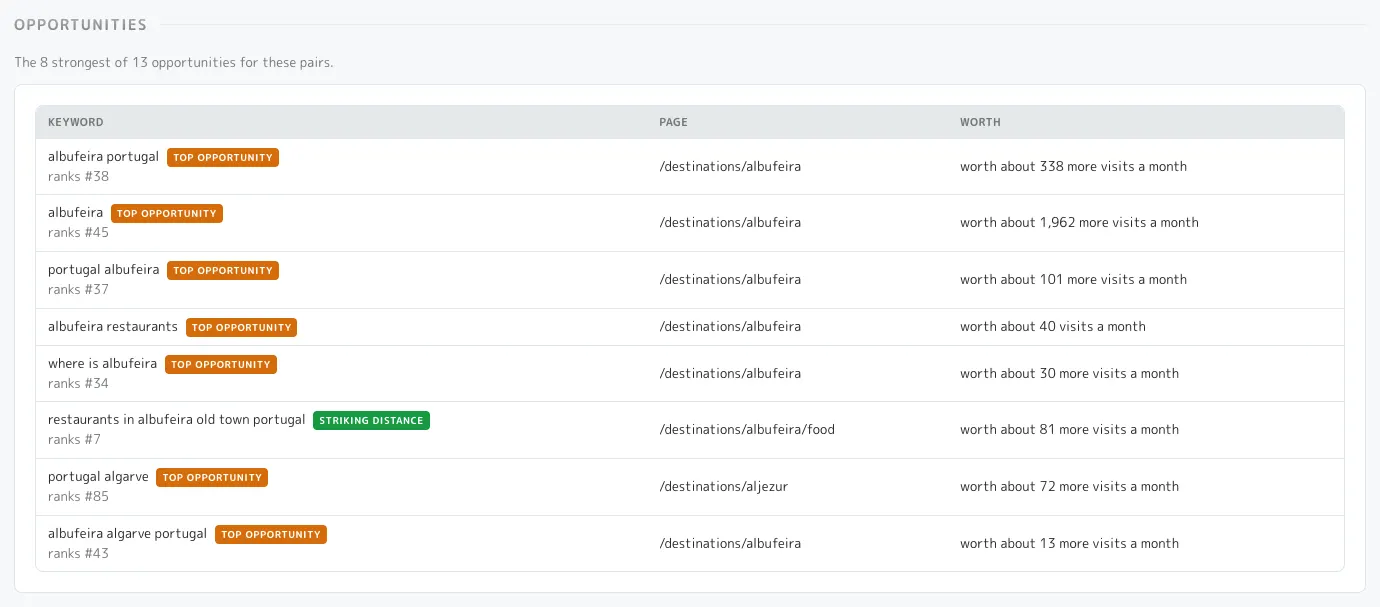
The client report: results first, then the work, then what is next.
On Pro: one free report over any set of pages, on screen and as a PDF under your name.
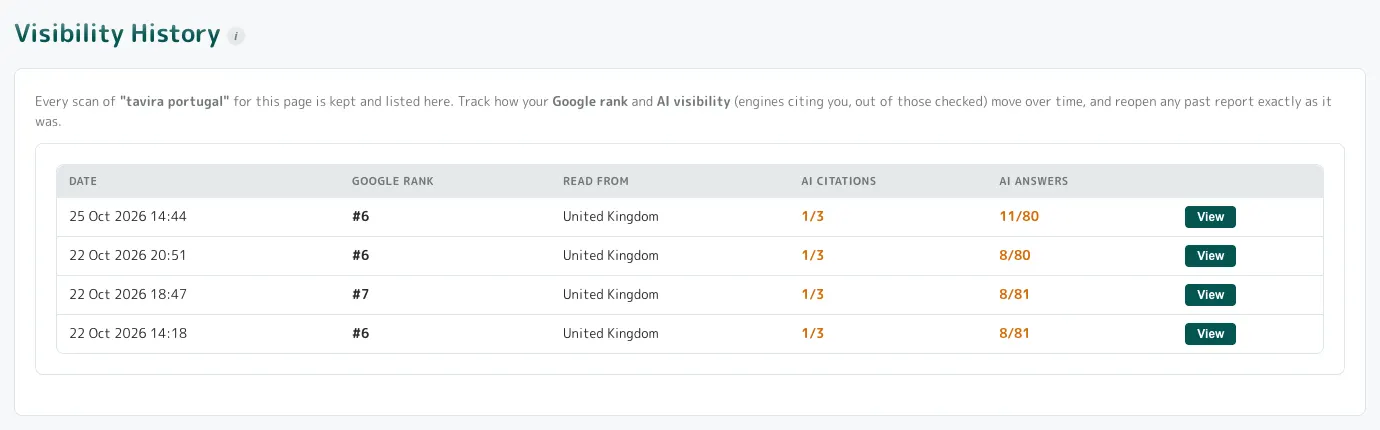
- The answer to "what did we get for the money" on the first screen: pairs on page one, AI checks cited, work confirmed done, opportunities next.
- The depth of history stated, so a thin month reads as thin rather than as a bare zero.
- Per page and keyword: rank at the start and now, AI citations by engine, named rivals with shares, section scores like for like.
- Work the tool confirmed, and honesty about claims not yet proved.
- What the next spend is for, in visits and in named questions.
- Something to forward or file without an account; it arrives under your name when you want it to.
- cited in 10 of 84AI answer checks

Done means the scan saw it done.
Every report is dated and reopens as it was; a fix counts as done only when a rescan can see it; the client report separates confirmed from waiting.
- A to-do list that cannot overstate progress.
- What Changed since last time, in one line.
- Proof of work the tool confirmed, rather than the agency's word.
- A rescan costs less than a scan.

When the client asks what makes this a 15 rather than a 40.
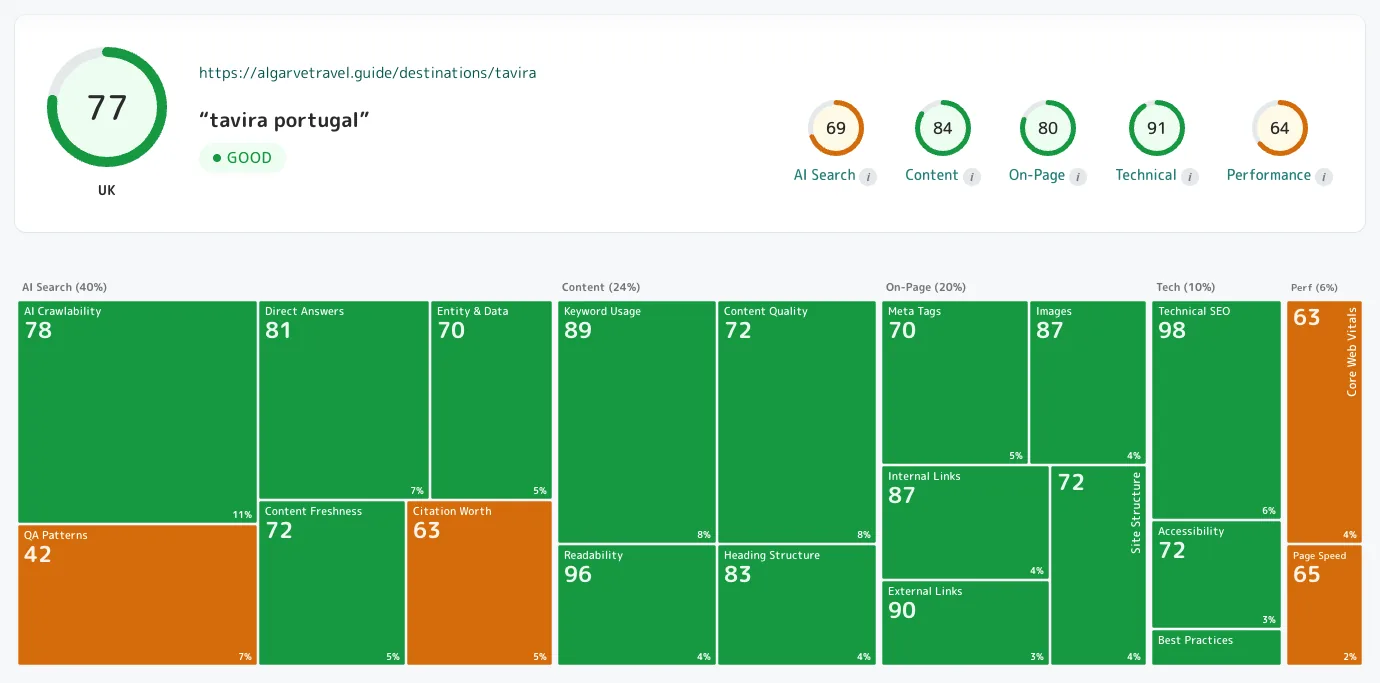
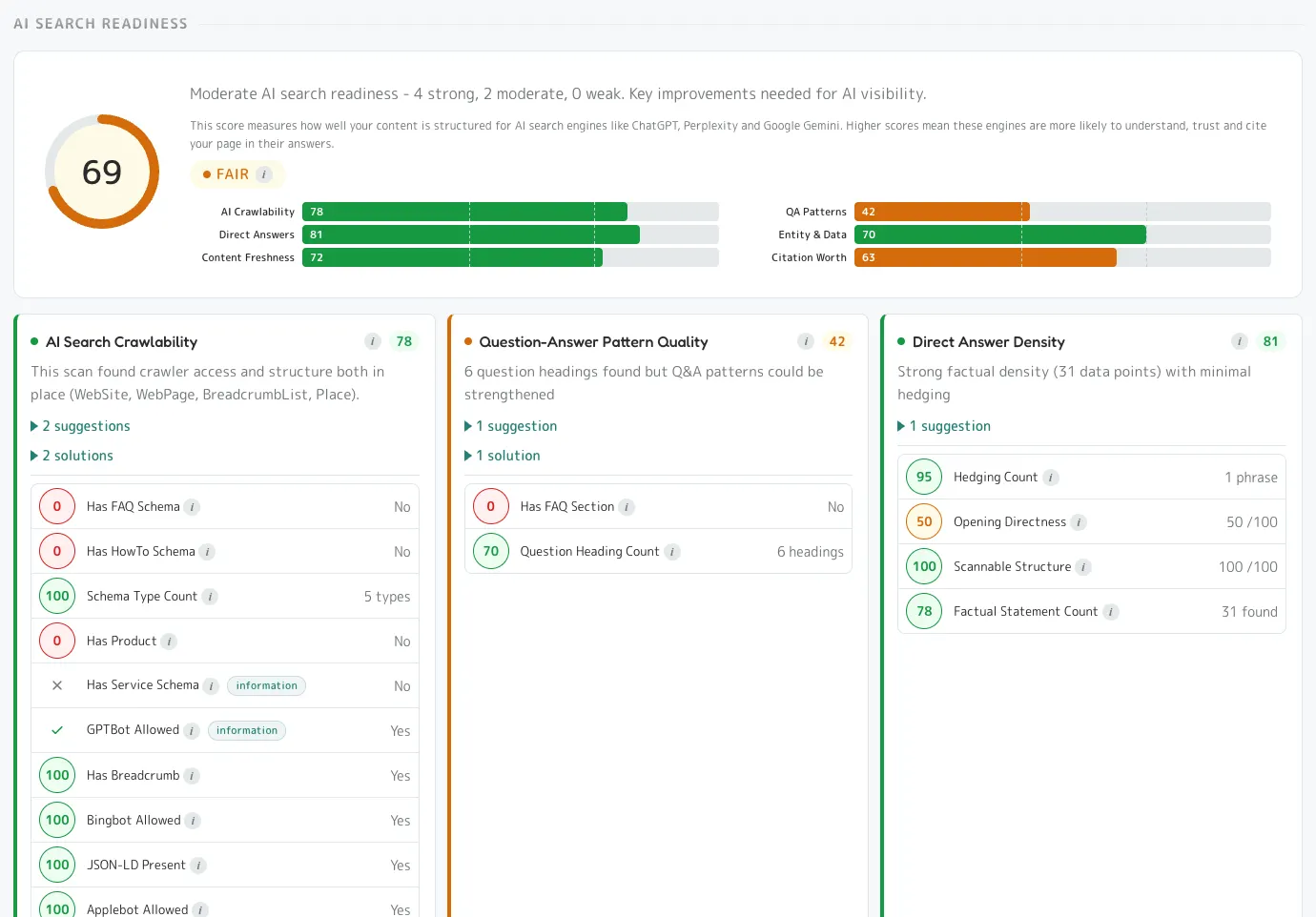
The model is on the screen: every check, its weight, its score, its evidence.
- The score map prints every sub-dimension with its weight and score.
- Every card opens to the rows behind its score, each with a sub-score and the measured value.
- Checks are judged by page type, and the card says when a check is not scored and why.
- The brief's own footer: guidance from this scan's data, not a guarantee.
Your team, and the Partner subscription.
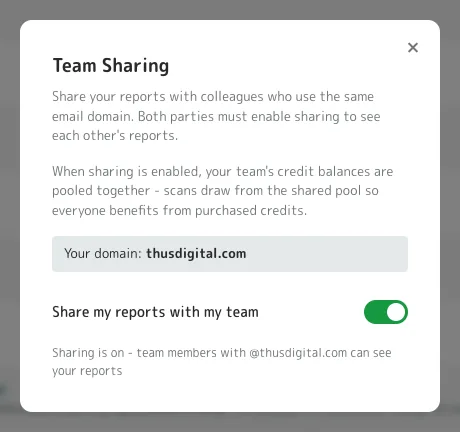
On Pro, colleagues on the same email domain share reports and a credit pool; the Partner subscription adds 50% more credits a month.
Team Pro
- Shared reports, a shared pool, and a ledger that records who ran the scan and who paid.
- A colleague's earlier scan of a page and keyword earns the rescan price for the whole team.
The Partner subscription
- £500 a month for 750 credits ($650), £750 for 1,125 ($975), £1,000 for 1,500 ($1,300).
- Scans at the Pro rate, about £10.67 a Pro scan.
- 750 credits is 25 new scans at 16 and 35 rescans at 10, exactly.
- Cancel any time: the credits stay, and the account drops back to Pro.
Pricing for agencies.
Pro is a free switch; a Pro scan is 16 credits and a rescan 10; packs from £50 ($65); credits never expire.
Packs (ex VAT in GBP; USD has no VAT line)
| Credits | £ | $ |
|---|---|---|
| 50 | £50 | $65 |
| 100 | £100 | $130 |
| 250 | £250 | $325 |
| 500 | £500 | $650 |
| 1,000 | £1,000 | $1,300 |
Above £1,000: bulk pricing on request.
What a scan costs
| Standard | Pro | |
|---|---|---|
| A scan of one page and keyword | 12 credits | 16 credits |
| A rescan of the same page and keyword | 8 credits | 10 credits |
| Site view, batches, client summaries, white-label | no | yes |
Worked example, a 500-page site
On Pro, the tree finds the pages, Unscanned Pages ranks them by visits to gain, and you scan the ones worth scanning. Thirty pages on Pro is 30 scans at 16 credits: 480 credits, £480 ex VAT ($624), quoted on the batch bar before it runs. The client report over them is free.
- Five free scans on Pro, 80 credits, no card.
- Never charged for a scan that failed.
- A keyword for every page free with the crawl.
- One ledger.
Questions agencies ask.
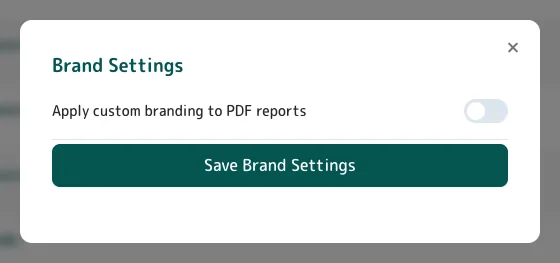
Can agencies put their own name on the reports?
Pro and Partner accounts with a business email domain brand the single, batch and summary PDFs from one toggle.
Can my team share one credit balance?
Colleagues on the same email domain who both switch on sharing see each other's reports, pool their credits, and the ledger records who ran each scan and who paid.
Does the client report cost credits?
No; only pages not yet scanned are charged, at the scan price.
What is the Partner subscription?
50% more credits a month, from £500 for 750 credits ($650), scans at the Pro rate, white-label PDFs, and cancel any time with the credits kept.
Is this an AI SEO tool for agencies, or an SEO audit for agencies?
Both: every scan reads the AI citations and the Google rank for one of your client's pages and keywords, and the site view, on Pro, turns that into the proposal.
My client will ask for the methodology.
The scoring model is on the screen, every measure with its weight, its score and the value it found, so you can answer them.
Start on Pro, free.
Switch to Pro and your five free scans are Pro scans. Crawl a client's site, open Unscanned Pages Pro, and you have the proposal.
Pay as you go after that. Credits never expire. No subscription required.